Controls, force feedback and lighting, managed in one Windows app.
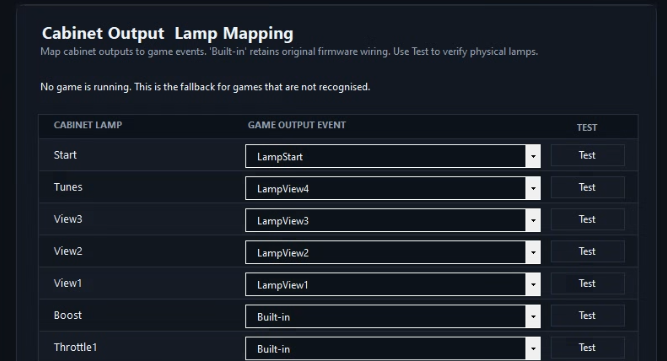
Cabinet lamps that follow the game
Auto Outputs detects the game you’re playing and maps its outputs to your cabinet. It works with MAME, TeknoParrot OutputBlaster and FFBBlaster, DemulShooter and Supermodel. You can also set up outputs per game yourself.
Automatic output mapping, with per-game configuration available.
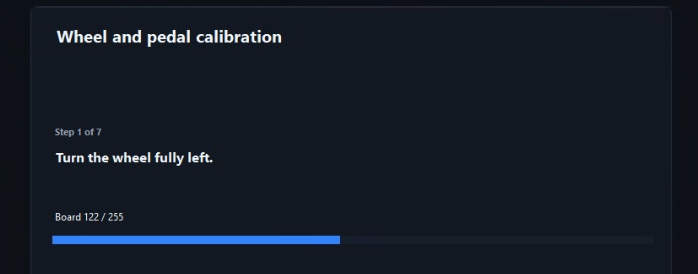
Calibrate the controls you already own
Auto calibration supports wheels, accelerator and brake pedals, light guns and trackballs. Use calibration to adjust for the condition of your existing potentiometers. Adjust your existing controls, rebind cabinet buttons and lamps, and configure supported force feedback.
Calibration for wheels, pedals, light guns and trackballs.
More than driving cabinets
Support spans driving, shooting, trackball, button and rhythm-game hardware. Some boards also support accessories such as motion seats, RGB lighting, scrolling marquees and speed, gear and tacho displays.
Run selected original arcade games
For supported titles, the app can run the original arcade game without emulation, including its cabinet shell and test menus.
See the full direct-launch library, including supported versions and required security hardware, on the Games page.
Bring your own games and any required original security hardware. Check the app’s instructions for the supported version and setup.